Alright.
Alright.
Welcome, everyone. As you start coming in, we'll wait a couple minutes for other people to join.
But while you're here, feel free to, you know, use the chat, put in where you're joining from. We'd love to hear from you.
And, we will be doing some q and a throughout. So as you start to think of questions, feel free to type them into the q and a tab.
Here we go.
Ah, welcome from Vegas.
Alright.
That's filling up quickly.
One of our friends, Zach Berlin, David, mister Leopold. I think Zach's here. Hey, Zach. Nice to see you again.
Hello.
I worked with him on one of our deals, so I'm not the same. Alright.
Hey, Nader. Good to see you. Fantastic.
New York. Alright, John.
Alright.
We'll just give it we'll give it one more minute. Sometimes it takes people a moment to join, and we'll get started. I'm really excited about this one today. This is, this is right up my alley, and I think I think we're all gonna have a good time with this.
From the UK.
Alright. Richard.
Thanks for joining across the pond.
DC.
Wonderful.
Alright.
I'm going to remove our static faces so that you can see our real faces.
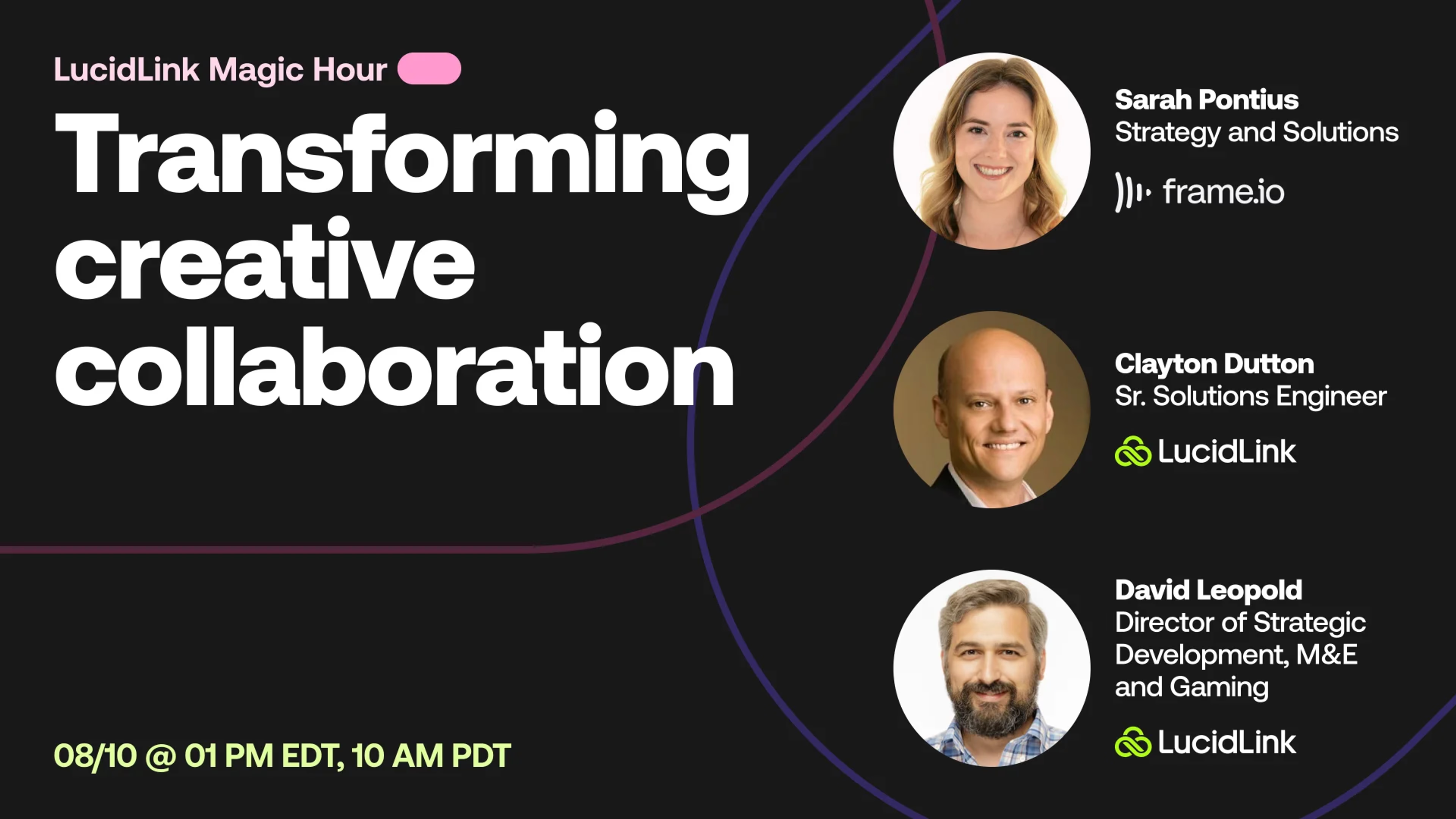
Welcome everyone to this, LucidLink magic hour. My name is Dave Leopold.
I'm the director of strategic development here at LucidLink, and I'm really thrilled always to be having fun, great conversations about how we can streamline creative workflows, how technology can further our drive for better creative output, for better collaboration.
And today is a really special one because we're gonna be talking about two incredible game changing technologies, Frame. Io and LucidLink.
And together, these two have transformed the workflows that I've used personally and friends across the country and across the world. It's really it's really bringing people together in tighter collaboration and just making that creative process easier so that you're spending more time being creative and less time jumping through all the hoops that we would normally have to do in order to, gather all our footage, get it together, keep projects in sync, communicate with each other.
All that has been made so much simpler with these two technologies. So today, I'm gonna be talking with, Clayton Dutton from LucidLink and Sarah Panias from Frame. Io. Welcome to both of you.
Sarah, if you can just give me a a quick intro, tell us a little about yourself and, where you fit into Frame. Io.
Right. Hi, everybody. I'm excited to be here today. My name is Sarah Pontius, and I am from the Frame. Io solutions team. I've been with the Frame team for three and a half years now.
So when we did get acquired by Adobe, all through.
And I'm excited to be partnering up with Clayton today. LucidLink is an incredible partner for a lot of our creative workflows.
And I am originally from Orange County, California and currently based in New York City.
Thank you. And Clayton.
Nice to see everyone. Yes. I'm Clayton. I know some of you now. Full disclosure, I know Sarah really well.
She is an extremely great person to work with. I actually came from Frame. Io as the founding solutions consultant there. And then when I found out what LucidLink, did and, after Adobe bought Frame.
Io, I wanted to try and and see if I could help another startup get to that next level. And being a former editor myself for many years, LucidLink really holds a special place in my heart. That said, Frame. Io is an incredible content management system, and I can't wait to get in there and show you how the two really work well together today.
That's great. And so, you know, on that note, Clayton, just so that we're all starting from the same page, can you give a brief overview for anyone who's not so familiar with LucidLink? Just kinda tell us a little bit about what LucidLink is.
Yeah. And if you don't mind, Dave, I think I'll I'll also tell everyone and show a little bit too while we're talking about it if that's okay.
Please.
Yeah. And as you can see from the website, collaborate everywhere instantly. Now that that's an important thing to kind of distinguish. One of the things we wanted to try to to get across to everybody today is that, yeah, Frame.
Io has storage. LucidLink is storage. You know, what are the where is the line between the two systems? And I'm really happy to report that the two systems really, really go well together.
I mean and if I was still running global media supply chains, I would have both tools at the pointy end of my workflow. And here's why. Let's talk about it. You can see on my Mac laptop here is my regular Macintosh HD drive.
I actually happen to have three LucidLink drives mounted as well. They could be three different drives around the world. You can see one of them happens to be archive. Yeah.
I like to keep my near line and my sort of cold stuff close to or my my less hot stuff close to me, not to be confused with sort of deep archive. But we are really the same thing as your local SSD drive. In fact, that's how we're built. Part of our secret is the operating system itself sees LucidLink as a local store.
And in fact, this is an s three object store bucket out of Dallas, Texas, but I'm accessing it from New York. And I could simply play assets. I can do whatever I need to do without scrubbing, without downloading, without do without downloading. Excuse me.
I can just play stuff like the beginning, the middle, and the end, and we're not downloading the full file object before we do these types of things. And in fact, again, not only do we love Frame. Io, but we love Adobe for lots of good reasons. You can see my LucidLink panel here natively in Adobe.
But, again, we are not review and approval. We don't do annotation. Right? We are not about time coded comments.
We're really not meant for collaboration at that sort of global scale where everybody's feeding in review and approval comments. That's really handled best with the content management system like Frame. Io, and I'll hand over to Sarah in a minute to kind of show you exactly what she's talking about with Frame. Io's brand new v four.
I was only there for just, like, the the little bits of it. I saw enough to get really excited and to really get a chance to go in there and play with it. It's been fun for me. But, again, editors work off of local storage.
So if I'm an editor, I really wanna navigate to my finder window, and I wanna say, hey. I'm gonna go to one of my hard drives over here. And in fact, this is the one I'm I'm gonna access LucidLink directly. Right?
I'm gonna go to my user folders and find my folder. And as a reminder to everyone, you can have it such that if I was the only freelancer here, I would only see my folder. So you can have scoped access. You don't have to give everybody access to everything.
In fact, we encourage you not to. So I can just actually grab all my my content here and just drag it into Premiere. Now everybody's done that before, but I don't have to wait. I could actually just come in here and start editing the data.
I can scrub through the media. I can play it. I'm not waiting for the stuff to download locally. And that's because even though the the assets in in LucidLink might look like single file objects, they're not.
Any content in LucidLink, although looking like single file objects, we actually these are all broken up into various site or two hundred fifty six k chunks up to, I think, four meg. We allow you to kinda configure that. And so these look like single file objects. The operating system thinks they're single file objects. In fact, so does Premiere, but they're not. And so we can just bring up single file objects and play through them, scrub through them, and we're only sending the little blocks of data around the playhead. And that is the secret of LucidLink.
So once I'm done in LucidLink and I have a cut for Sarah to review, I now want to transition into more of a Frame. Io workflow whereby I'm actually gonna go in and and upload something for her to look at. And just as in regular form, just whenever you're doing, like, a a new project, we're gonna actually get prompted to log in sometimes. Alright.
So I've got my new project here. I've called this LucidLink in Frame. Io. I've got a folder here called cuts for review.
Really not rocket science here. I'm actually gonna take my last cut and just upload that to Frame. Io. And that's really for everyone.
I'm gonna hand over to Sarah now in a minute to just talk about Frame. Io v four, the whole review and approval process. This is a very good visual line for everyone to say. This is really where you're gonna hit the pause button unloosably.
Right? As an editor, I've uploaded a cut for review and approval, right, while Sarah, Julie, Sophie, and JJ and all the senior leadership look at the asset and give me feedback as an editor, I'm gonna now go work on some other stuff off LucidLink. Right? That's my high performance back end post production active storage.
So, Sarah, I hope I I demonstrated that okay, made it kinda clean. Now we're gonna hand over to you for that next level.
Yeah. Yeah. Absolutely. So as Clayton was kind of just demonstrating from an editor's point of view where LucidLink and Frame can really kind of combine here, just to let you in on a little secret before I show you all, Frame is currently in beta for our next iteration, which is called before.
So I'm gonna be showing you kind of how to navigate around this this kind of, like, new interface built with, taking this, like, creative management solution, good management platform to the next level. So for those of you that don't know, Frame. Io was started with the more video focused workflows, and mainly integrated into Premiere Pro and After Effects. But when we were acquired by Adobe, really shifted that perspective to see what is the collaboration layer, what is that, creative management layer look like for all creative asset types.
So you're gonna start to see a lot more features kind of driven towards, like, image work flows and and Photoshop files as well as scripts. Like, so taking the creative management of just from preproduction to post as much as you need in terms of just, like, collaborating on those assets. So I'm gonna jump in. Obviously, it is currently in beta, and there's gonna be a lot more heard at Adobe MAX, which is, again, later this week, or, actually, next Monday.
So just a few more days to to hear a lot more, but happy to kind of give you a look in at what that looks like. So sharing the screen now.
Hopefully, you all can see it. So for those of you that are currently using Frame. Io, this is going to look a little bit different and that you're gonna have your workspaces on the left hand side here. We do have a loose link demo space.
So if you were to create a a new project in there, you also have these templates built out from you for you. So there's gonna be a lot more in terms of even just, like, metadata available from these templates, but you also have the ability to create the blank template here as well. And then there's a lot more kind of user level level also coming our next iteration. So you're gonna have more kind of dealer roles, also that are currently available in v three.
So jumping into LucidLink and Frame, you'll see that sometimes my Internet likes to to play tricks on me, especially in in in a demo.
But coming back here, going back to the home page. Oop. Now we're going backwards.
So I'll stop sharing for a second. But, basically, just to show, like, that the edit that Clayton was actually uploading to Frame, is available in this project. I would get notified within the platform itself.
So it's actually very, very good. I'm gonna just pass it back to David for a second, and I'm gonna check the company and then come right.
So, David, if you had any other Alright.
Yeah. Thank you. Thank you, Sarah.
So while we're working on that, let me just remind everyone there is a q and a tab. So between Clayton and Sarah, we have two brilliant people here who are able to answer all of your questions.
And, you know, seeing seeing LucidLink and Frame. Io working hand in hand together is is really just something to be seen. So feel free. This is your chance. Ask questions. We have one coming in.
LucidLink, can we use it, cloud based without downloading into the machine?
Yeah. Can we yeah.
Yeah. So In fact, that It it that's what I just demoed. Possible. But yeah. Yeah. So, Clayton, if if you can just talk a little bit more about what's happening and and how we're how we're streaming the data as opposed to downloading.
Yeah. Absolutely. So this is great for everyone. When you upload something into LucidLink and let me just grab a file. It doesn't really matter.
Alright. When you just grab a file and upload it into LucidLink, it may look like one file. It's not. We actually take the single file object, and this is different than, like, sync and share.
Right? And and, you know, everyone's doing a great job with with this particular stuff that they're doing, but we're vastly different than OneDrive or SharePoint or Google Drive or any of that stuff. We don't these look like single file objects of their entirety, but they're in fact not. And in fact, a lot of people like to say, well, that's great, but you're you're using proxy media.
That's true. But I can also play non proxy media if I want to. It's really up to you. It's really related to the bit rate of your video video and your Internet connection.
But, again, because we break the data up into small chunks and we stream the data, Let me be really clear here. We don't stream picture like VDI, like Teradici or Bebop. We're actually streaming the blocks of data. Again, it doesn't matter, and this this one happens to have audio.
I could scrub through it. We're not downloading this first. This is playing natively right off of the s three bucket.
Hope that answers the question. I think we have Sarah back. Enough of me.
I'm back. Just really anticipation for for v four. So, hopefully, we are all good. So just wanted to kind of share again.
Basically, I am now in the project that that Clayton created.
But you can also see this cuts for review. So I can actually come in, hover scrub on the asset itself, but there's a lot of functionality within the frame comment screen now. If I were to leave a comment, you can also have the same annotation, all of those abilities, all of the the boxes, the squares, the arrows, all of those things. But I also have the ability to, bringing it back to here, to actually attach a file with that. So if I were to even attach a let's see.
What have I got? I've got this bottle import. I can attach a certain bottle. I'm just saying switch out the the water bottle in this image.
You can also add different different movie files, different video files, PDFs, all of the different types of asset types. So that's really, really helpful. Instead of describing what you want, you can actually add an asset saying, we actually want this more more like this. We want the glare to to look like this.
So it's really, really helpful in terms of, like, Platon's workflow as an editor that he doesn't have to keep on asking for specification on on what you actually need. But where this also comes back to I'm gonna take it back to a big project that I had created previously, is that we've really rebuilt the Frame. Io interface from the ground up. So if I were to go into the certain folder structure, and you can see the folder tree over here, so it's a lot more organized.
I also have this this lovely field called fields. So it's actually metadata attached to the assets themselves. You see that I can that I've toggled on a few here, but I can actually add a new field, multiple kind of sets to to your advantage here.
But you can also look at these these these kind of fields that I've put in as they're both qualitative and then also inherent to the asset themselves.
So I've added a few. And if I were to go into this asset here and, again, go through that same comment workflow, But let's know that let's see that, like, Clayton actually already knew that he had to be working on this. So I can actually assign the asset to Clayton, set the status as needs review, and you're starting to see that there's, like, kind of multiple asset types that have different assignees, different statuses, and that's where this view of collections actually really becomes really important.
So to create a new collection here, I'm just gonna say this is Clayton's world.
And the fields that it's filtered on is actually where the assignee is exactly Clayton, and that if Clayton needed to filter down further, he could also have the status be needs review.
So it'll also show those assets for Clayton, that you can also create multitude of collections from here. Right? So it can be based off of different, different metadata fields. You can also brand oh, I spelled world wrong too. So that's fun.
So there's that. But you can also brand it. You can add emojis here. So Clayton is a star.
I can also add a header image. So this is where it becomes, like, really, really impactful for the brands that you're working with or for certain stakeholders. You can brand this to the exact, space and what they are actually, what they are actually looking at. And this is more of, like, a live folder view.
So you can also, again, have the same field showing or different field showing here if I needed to, and you can also group it in a different way. So it's a lot allowing for a lot more organization in this space across asset types. So you'll see that there's actually a Photoshop file here along with the video assets that are assigned to Clayton, and that's through all of the different assets in this workspace. So really, really impactful, really, really, like, it's just gonna change the way that you work within Frame, which is really, really great.
But, definitely, the sharing experience of review and approval is still based off of of this kind of new view.
So that's Yep. All I'll share today on on b four. Definitely a lot more coming in the next week.
But definitely so sorry about the the fact that Internet really kind of tried to test me, but, you know, anticipation is the best friend here. So, hopefully, that was a good sneak peek.
You did great, Sarah. And I can tell you as an editor and David Leopold will back me up because Dave was an editor for longer than I was, actually.
This what Sarah just demonstrated about, hey. I don't like this water bottle. Here's a picture of something we should use instead. Give me that as an editor.
It solves a bring me a rock problem. Right? Not that rock. I want a big one.
You bring a big one. Not a brown one. I wanna right? So show me what you need.
Tell me what you need. Then what Sarah just shows, I can bring those comments right under Premiere on the timeline if I wanted to. And, again, I don't have to download the data from Premiere or anything like that. I can just see the comments right in my timeline.
I'm sourcing my content off of LucidLink. Again, one of my native sort of storage drives here that I have, one of three. I could even if I wanna drag something from archive back into production, I could certainly do that. I just need to drag and drop it over into production.
So we are that back end, high performance. You know, people put their log footage, their ProRes quad four, all the way down to the lowest bit rate m p fours. It really doesn't matter in LucidLink. You know?
One of my favorite things to do, actually, my favorite hacks. And I worked at I worked at Adobe for a while, and I didn't notice this. So those of you here don't know this, don't be embarrassed, but the fat last thing I'll show you is right next to your Q and Media Encoder, there's watch folders, and you fit yep. You got it.
I actually have a watch folder pointing at LucidLink so that when my DPs drop their OCF files, they're the original camera files, their log footage, or their quad fours, quite frankly, I don't want that in people's home Internet connections. I'm flipping all that stuff to whatever codec I want. Is it this is four four four four four two two proxy. So everything that happens there and, again, I'm just no one really needs to know this, but the road impact to that is no matter what kind of Internet connection somebody is on at home, they can just switch to proxy mode if they wanted to or in the LucidLink panel.
Let's say I'm gonna be on a hot spot flying down to max this weekend, Sarah and David, And I want to tighten up my four k edit and full resolution on the way down there because David and I are gonna do a color session when I land. Fine. I can cache my clip ranges. Remember, LucidLink's not magic.
We're not gonna create bandwidth where it doesn't exist, but we can have every kind of workflow that you could imagine covering you for everything from terrible hot spot connections all the way up to one gig or ten gig symmetrical. So you can cache your clip ranges before. If you had proxies, you could do the same there. If I'm doing a color section and I have log footage, maybe David and I are just gonna be reviewing this one clip tomorrow.
So I'll just pin the clip or associated with that. Again, you shouldn't need to pin or precache your data. LucidLink's designed to not do that. But if you have to, we have features around doing that as well.
So, hopefully, today, what we've shown you is that sort of round trip workflow. But most importantly, what I want everyone to take away more than anything is that LucidLink and Frame. Io are really matches made in heaven. We work beautifully together.
We don't have any plans to do some of the robust stuff that they're doing. We know annotation, all that wonderful grouping and project management, that content management layer that that Sarah just elucidated to us is amazing.
We are that super high end, high performance, easy to access for everyone's single source of truth, giant SSD drive in the cloud.
Yeah. And, yeah, I I think that's great. And, Clayton, if if you can just touch on, the the workflow as far as where the content starts, where it goes, and how everyone accesses it. Because, you know, Frame. Io is is such a great tool, but it still requires, you know, individual users to select the clips that they want and download locally. How do we how do we get LucidLink into the mix to make that a little bit easier?
Yeah. It's real straightforward, for everyone. That's a great question, David. Thanks for for sending that along. So I'm gonna switch over to LucidLink for a second. Again, whether you're, you know, a one man band, one person band all the way up to enterprise, you know, you can just register. We give you a free two week trial.
All the salespeople love to laugh at me. I'm a big believer in stave your faith for your place of worship. I've been in this business thirty years. I've told I've been told tons of things work that don't.
Right? We don't want you to believe. We want you to feel it. Right? So, you know, you you can have us help you along with that POV, but you can simply register.
And when you register, you will be able to create your first file space. And you can simply double click the you know, click this, choose the region where you want your data, and within five minutes, you are up and running with the LucidLink Filespace. I noticed there's another question about can we do share links like Google Drive or Dropbox or stuff? Currently, no.
But David can talk a little bit more about that. Right now, every user of LucidLink to mount a LucidLink file space like this, you have to have the application installed. Okay? This is where we're decrypting that data.
We have to take security seriously. In case we're someone's living under a rock, how many ransomware, you know, attacks do we need to have? Everybody from the CIA all the way down to SaaS companies are getting attacked. You know, to have your data protected is one of our number one priorities, and I'm really proud to say that we we sail through most security reviews.
So you just install us. There's no hardware. Once you install the app and you log in, you'll see a hard drive pop up.
Now if I didn't have access to anything right here, it would be empty. As soon as I have access, things pop up. As soon as they're removed, they disappear. This is a dynamic system.
We are all working together with one source of truth. So we also can get out of the habit of saying, David Leopold, Frame. Io, sizzle, real, final, final, final, final, final, final, final. We can just have one project file. So my project files are stored in LucidLink.
All of my media's star stored in LucidLink, everything. It is our hard drive in the sky, and we're all working from the same hard drive. You know, when we're we're all using local hard drives, I may might make the best cut on the planet. Great.
I upload it to Frame. Io. Everyone approves. I'm celebrating at the beer garden because I live in Germany.
What I don't know is that there are two shots that need to be blurred or logo that needs to be replaced. Right? Well, I don't need to download the entire project to do that. I can simply onboard someone in two seconds, come over to Premiere, and have them make that one change, hit command s, and it's changed.
It's done.
We don't need to download large blocks of data anymore. And to upload, I showed you earlier, it's drag and drop, just like you would upload to anything else. But for the enterprise users out there, remember, the operating system thinks we're a local drive. So whenever you launch finder, our hard drive show up in the left hand side just like your regular hard drive, just like drop off or box would if you had box sync. So you can sync to and from LucidLink back to on prem if you're running a hybrid workflow or even to, you know, some sort of cloud based archive or LTO tape, whatever it is that you wanna do.
And Same with that answer your question.
Yeah. Yeah. And if somebody uploads something directly into Frame. Io, once one person downloads that into LucidLink, you know, you find you see the proxy in your panel.
You say, I want that clip. Download it local. If you're downloading it into your LucidLink file space, it's it's already everywhere. It's downloaded for everyone who is connected to that same file space.
So that removes the need for each person to do their own downloading. It it just becomes That's right. Becomes accessible.
And to that point, Sarah, you know, Zach had a question about, are people primarily using Frame. Io for sort of the final m p fours, that are ready for review, or do you see people putting, you know, b roll libraries in there and stuff that they'd be using more for production?
You know, where where's the line between what goes into Frame. Io, what goes into LucidLink, and what's sort of shared?
Yeah. I mean, that's a great question, Zach.
I think even though I am in the solution or on the solutions team for Frame, we're very much, like, very flexible in terms of what your workflow and what your need is.
I would say that Frame has extended itself and especially with this next model and a lot of the features around collaborating. So even if you have creative briefs or scripts, you can start to bring in the necessary players of, like, makeup, art department to, like, really put in a lot more effort preproduction, and having, like, those anchored comments and really starting the conversation a lot faster.
But then we also have technology like camera to cloud. So connecting your cameras from a production shoot into your Frame. Io space and then allowing for that kind of collections feature to say, like, okay. Only the ones that have a rating of three and up from the DP, all of those things, going into a collection that Clayton now knows, okay.
These are the ones that I need to download. These are the ones that we're gonna do the quick edit on. So in terms of, like, a bureau library, definitely that that's possible. I would say that in terms of where we see ourselves as a a dam light, dam or MAM light, we are not a full dam system and nor would we be built that way.
I think for some small teams, they can definitely utilize us as that.
But for distribution, there's so many other kind of incredible dams and NAMS out there that we would want to kind of, like, connect into that workflow.
So where LucidLink and Frame really work together is in that creation and production space. So the the kind of lines are blurred in terms of, like, what like, where you can kind of use Frame. It's very flexible.
And also me being an API, I I I think API is connecting into this space is really where where we start to see, like, this creative workflow flow like, really, expand.
Definitely, we're working on that for v four to make it ever expanding.
But there's there's really no no limit. I don't wanna say I don't wanna say anything just yet, but there's a lot going on with v four in terms of where what you can kinda put into Frame and build with Frame.
That's great. Yeah. And, there there was another question from Jesse about what are the what are the storage limits, coming up.
Are you able to touch on that Yeah.
At all? Yeah. Yeah. So we also don't put storage limits. I think it it just depends on your account.
So we used to have kind of two different types of of storage types that had, like, two different pricing models.
But if you have kind of an expanding model, you should be able to work with your your, sales team or sales team representative to kind of, like, work with a model that makes sense for you. Something that we've also announced in the past year is storage connect.
So connecting into your own AWS US east region three bucket for now to really kind of, like, take take that that storage path down. You're not in the space of kind of, like, costing you storage as well. We also recognize that most enterprise clients also have their own cloud storage provider. So really kind of connecting into your own space and being the interface on top of that to view and and also filter down the metadata, really kind of creating the creative safe space there. So there's a lot kind of to go that that goes into it. But I would say if you get in touch with your account team, they can kinda find a package that makes the most sense for you.
Great. Thank you.
Richard has a question about, dams and the thumbnails. And, Richard, I'll I'll do my best to summarize this the way I I think you're asking.
So, Clayton, can you just talk a little bit about, Richard's wondering if since the thumbnails are part of the the blocks, the chunks that, LucidLink creates and and that's what's being streamed, is the DAMN going to be able to read the thumbnails and keep that in as part of its organization?
You know, does it need to be downloaded in full in order to use that?
Yeah. Yeah. Please. Not at all.
So LucidLink, again, because it's a local drive, can be indexed by, you know, most MAMs or DAMs. Right? You know, we can get on the phone and talk about specifics.
But no. I mean, again, we're local storage. Right? One of the things I wanted to demo real quick to everyone is you should have no problems there. We're also sort of platform agnostic. I'd like to say that, you know, David and I have both been part of large, huge post operations, and I like to remove the lighters from everyone's hand pockets in in advance.
Like, let's stop the fires before they exist. And, again, on a Windows machine, Lucent appears as a local as a local drive. Right? And in this case, I've switched from an admin now.
Now I'm just that user. Right? I'm a freelance user. I can just see my own stuff.
But what happens and this is, actually on a Windows PC out of Munich, Germany. Right? What I'm actually gonna do now is go into my control panel because it's getting late in Germany. I have this botanics project that I wanna add this this freelancer to.
So I'm gonna add the you know, let's let me make the the window gets a little weird when you get into, when you get into, virtual machines and things like that. Alright. So I'm gonna add a permission here. Let me just do this again.
Let's go back.
Alright. Let me go to my groups, and we'll go down to Botanix project. I'm gonna add this new user, and we're just got this Clayton dot Dutton guy up in New York. Right? Let me actually spell his name. Right?
Here we go. Clayton dot dutton.
I'm actually doing the wrong person. Let me just find myself here. There we go. Alright.
So I'm gonna add a permission, and I'll just do read access to everything. Now watch up in the top left. Right? And so let me just scroll over here a little bit and get my windows straightened up.
Now when I hit this, watch what happens in the top left. So instantly, I have access to terabytes of data.
You don't send data anymore. We don't need to sign it, ship drives, none of that. And in fact, let's say for security reasons, something happened, I can it's just as fast to take that access away. And any data that are cached locally that that user may have had is now completely they're not able to decrypt it. The decryption keys are completely invalid.
So does that answer the question? I think I answered the question and a little bit more. But before I switch over, are there any other questions on the LucidLink side, David?
Yes. A couple. K. Asking, Josh wants to know if there's an offline mode or is Internet always required?
Yeah. Great question. So we do require at least a minimum amount of Internet connection. Remember, we're that single source of truth in the cloud, so everyone's project files are getting update.
There's a lot of metadata chatter going around in the background. We're syncing. You know, we're doing garbage collection, making sure everyone's, you know, the single source of truth stays just that, the truth. So you do need to have at least an Internet connection unless you do the following.
You certainly can, if you want to, download things locally from LucidLink. So we're gonna restitch wherever we blew the file up. We're gonna stitch it back together and create a single file object from it again. This is exactly how it was before it ever entered LucidLink.
So in this case, if I drag and dropped all my media local, I could in fact work. Or if I had precached everything, likely, you will be able to work. We do not recommend you work that way, though. It is best to be connected.
Right? Was because we we wanna do any kind of version conflict management and things like that. It's quite a lot to to do.
Great. And then for Sarah and Clayton, if, sort of a work a workflow question. Jeff is asking if, you can use a a frame project and folder as a as a LucidLink sort of drive, and, I guess, his editors wanna be able to store everything in frame.
What's what's the right way to work this?
Barry, do you wanna take a second?
I mean I was like Yeah.
You can you can go first.
Yeah. Listen. Frame frame's a great con it's it is, in my mind, one of the best content management systems. It certainly can be used for sharing data.
That's, you know, what you wanna do with it. I tend to use it more for review and approval, right, for project management, the content management stuff that I need after that first cut. So often, I start life and Frame. Io as an editor with my first cut.
Right?
With my first stop cut. And then the review and approval process, I love personally, as an editor, I want that comment thread in my in my timeline. Not all editors do. Because it gives me really precise information about what my producer's after.
And and at the end of the day, that's who I need to please. So I think of, you know, I'm out shooting, I'm uploading, or I'm I'm sourcing footage from wherever, that all lives on LucidLink for me because I don't wanna download it, and I want to edit directly off of my cloud drive. And the third piece is I want everybody else to be able to open that project up after me and get the latest version guaranteed every single time. And then, Sarah, that's where I'd hand over to you in the workflow and say, great.
I'm ready for my some review and approval here and over to Sarah in content management.
Yeah. I think I think to that point, there's there is, like, a lot more work being done in terms of Frame. Io really building out kind of because Frame. Io is not meant to be your, like, kind of final archive of your assets as well.
So that's where, like, storage connect is also allowing for a lot more kind of automations on the the actual storage cloud level, to really, like, push to wherever your final archive is.
For some smaller teams, Frame would probably be their archive solution because that's what they're working with in terms of, like, just small small media accounts. But I would say, yeah, it's still dependent on your workflow, and we're happy to kind of talk through further just, like, what you what you need. But, definitely, think of, like, Frame and especially with the camera to cloud connection. You're starting to, like, kind of, like, hold more assets, but really pushing your editors through the metadata fields and, like, whatever kind of metadata standards that you're putting together. What they need to focus on is also kind of very much important here as well.
Yep. Great.
Yeah. And, so, Molly asks, is it possible to export sorting information to use in other apps like spreadsheets?
Sarah, I think that's a a frame question.
So in terms of sorting out or, like, exporting comments, what we didn't show today is just how we are natively integrated into Premiere Pro and After Effects, where those comments will, in in the future, natively pop up on your timeline. But there's also ways to export these comments for as a comment set comma separated value, plain text, as well. So just wanna let you know that any kind of comments here can also be printed, or exported out as needed.
Great. Thank you. I gotta say I'm a huge fan of Frame. Io's API and SDK. I'm a geek.
I love it. It's so much fun to integrate into your workflow. As you know, Sarah, I was always tinkering with stuff when I worked there. I just couldn't get enough.
Yeah. In terms of the the metadata field as well, and I I think that's to to Molly's question as well, we'll definitely work with you on just what what makes sense in terms of exporting out and, like, what is the trigger. And like Clayton said, we're we're big API geeks over here. So what would be the trigger that would, like, tell you to, like, export out those fields, as needed?
Great. And, Clayton, Richard has a question about storage locations and where the data centers are.
Just asking, can you define a, a a file space location to a data center in Europe rather than US West? You wanna talk a little bit about this flexibility and options there?
Yeah. Absolutely. And in fact, you can have up to three file spaces mounted at one time. And I often have I have a European space, in Great Britain, actually, in UK.
But we have so IBM is our main data provider currently, for our advanced file space. But I I think we've talked about this in case you weren't listening. You are more than welcome to bring your own s three compatible storage as well. So if you're hosting your own, hyperscaler back end, GCP as your AWS s three, Absolutely.
Choose your region and away you go. It's really up to you. If you choose one of our, you know, data packages, IBM has global data centers just like AWS, GCP, and Azure. It's very similar location wise.
Yep.
Right. And one of the great things too about the IBM bundle well, two great things. One is it's completely turnkey, so you can get up and running with no IT support in a matter of minutes.
But the other is that because of our our partnership with IBM, we offer it with no egress fees. Anyone who's not familiar with egress fees, cloud providers love when you put data in the cloud because they charge you a little bit every time you read from the cloud. You could be you could be downloading. You could be reading. You could just be moving it.
Anytime that things are touched in the cloud, whatever amount of data required to do that function, you usually get charged for. And sometimes those egress fees are more than the storage itself depending on how much you're using.
And, you never know what that charge is gonna be until you get the bill at the end of the month. So it's always a surprise. It's not predictable. You can't budget for it. And so that's why this sort of egress free, model that we have has become so popular.
Yeah.
There was a a question from Jacob, the asking, Clayton, I I think it was the file that, that you downloaded to the desktop Mhmm.
Out of out of LucidLink.
Does that still require decryption in order to read it?
No. Once it's on your desktop and outside of the LucidLink file space, it is exactly how it was before it ever entered. We assume. Right?
We have so many feature film and and a lot of people do well, not just that. Pharmaceutical companies, fintech, governmental agencies. Right? So you can imagine what kind of burden we have on us for security.
Not a single person at LucidLink or our data provider. Or in fact, if you brought, let's say, an AWS s three bucket, AWS cannot read your data either. So we take that extremely seriously. So for that reason, if it's in the in the LucidLink ecosystem, you do need that app.
But once it's out anywhere outside of the system in its entirety, it is now free and as it was before it ever came in.
Yeah. Thank you. And I did see a question too about let me see if we can find it.
You know, security is is so important to LucidLink. And so the question is, do you have to use the client in order to read files from LucidLink, or is there, something that you can do on the web? I can Yep. I can tell you right now, at the moment, everything must go through the desktop client.
All reads and writes, up and down. And part of that is to always make sure that the metadata is in sync so you always maintain a, secure connection and Yep. And it's all in sync. But the other part is for security reasons.
Now I will say we do have an upcoming release, that we previewed at NAB and at IBC this year. It's called Lucid three point o, and that will have a, a web client available as well. So that is to come. We're very excited about it, and you'll be seeing that announcement shortly.
How does LucidLink work with PostLab and NAS systems like Jellyfish?
Quite new one.
I mean, again yeah. We're just a local drive. Right? So you can I mean, carbon copy, good sync, a lot of open source sync software?
You could actually just say, hey. And if something lands on my Deli Fish, move it over to LucidLink. We don't ourselves have move features. Right?
You would need some sort of, again, carbon copy, some sort of software to move it. But I would just be honest with you. And, again, this is gonna sound funny. Of course, I'll say this.
I work at LucidLink. I would not use those other systems because it you have to download to use them effectively. Right?
You could argue that you don't have to in some cases, but I like my editing experience to be seamless as if the data are here. And in that case, I I once you try LucidLink with an edit for real, I it'd be hard to imagine you would go back for a lot of reasons. One of the thing one of the reasons is just kind of, you know, connectivity and the way we do things, but, also, there was another question I'll kind of anticipate is how do you prevent people from deleting things and stuff like that. Right?
Back to what we're talking about earlier, my buddy Justin here at Cadet, he can't say anything. He's in the system, but he would have finder open right now and say, this thing stinks. It's empty.
Well, back to our zero valid security policy. Just because you've added something doesn't mean they're allowed to see anything at all. In fact, we assume they can't. You actually have to come in, tell the system what they can see. So back to the question about how do I how does LucidLink handle conflict resolution, and can people delete things?
Anybody with read, write access to any folder could delete something if they wanted to. For that reason, I only ever give people read access to the media folder. As an editor, you can't delete anything out of there then.
Right? And it's all nondestructive editing. We're never changing the source media folder files. So I should never have to give anyone but read access.
But if I wanna give someone read write access, I could. And that, in fact, would allow them to do interesting things. So let's talk about that real quick. I'm gonna mount something called snapshots in the background because you asked what happens if someone delete files.
Remember, we're all working off the same hard drive, so deleting files is not good. In fact, I'm actually gonna take all of these but the bottom two, and I'm gonna delete them.
So, move to trash.
I would I'm literally gonna knock somebody offline in Premiere.
I'm not kidding. See that? They're offline.
So what I'm now gonna do is go into my production snapshots. Now I can see I only see in snapshots what I can see in the real world. I'm gonna go to fifteen minutes ago in time. I'm gonna go find all those files that I accidentally deleted.
I'm gonna blame David Leopold because he's not at work today. No one was here. No one's gonna know. And I'm gonna restore all those files in the background.
Once that's done, I just need to come into Premiere now and hit locate and go back to the same place as it was because it'll default back to the same place, and away I go. I'm linked again and away I go. This does take some time. Snapshots by the way, I could just as easily if the client said, not that this ever happens to anyone on our call.
But if David was my client, he said, Clayton, I liked it much better last week. I'd actually go to last week's snapshot, open up the premier project from that date and time, and we are literally the way we were. Now I'm still uploading some data. And in fact, you'll see here let's go to production.
Let's go to status. I'm still because I'm on Zoom and I'm on Wi Fi. No. No.
Bad Clayton. That's gonna take a while. It's not meant to be performant. It is meant to save our proverbial when we do something accidentally really silly.
That's right. And and that's actually another good point too, Clayton.
We always recommend that people hardwire, into their bandwidth because Wi Fi, you're gonna lose half of your half your signal. So, if you if you wanna be super productive, get that Ethernet cable attached. Mhmm.
I do wanna take a moment, before I do any other questions, and I love that we still have a bunch of questions coming in. Just to to mention that we will be at Adobe Max, next week as as will Frame. Io. So, please, anyone who's gonna be in Miami for Adobe MAX, please come over, see us, talk to us. We'll both have booths, but we are also going to be having a session. I'm gonna be interviewing one of, LucidLink and Frame. Io's customers, Casper Haney, who has Paradox Studios and a post company called Post Relativity.
And Casper has figured out a great Frame. Io camera to cloud LucidLink workflow in which the entire team is going from the camera shooting.
That signal is immediately going up into the cloud through camera to cloud, landing in in LucidLink, and an editor is starting to work as the footage is being captured. And we're gonna be doing sort of a live demo of the editing happening as that as that's landing in the cloud. We'll have an editor at the LucidLink booth who will be working the whole time. So you can see that happening.
And, of course, during our conversation, that'll be Tuesday at noon eastern if anyone is, is interested in signing up for that. Actually, I will show you the slide because, hey, visuals help us remember. Right? So this is the one, Tuesday, October fifteenth at noon, and we will also be doing a virtual session for any in person or remote attendees of Adobe MAX.
I interview Kelsey Brannan, who is known as Premiere Gal. If you've seen her YouTube videos, she teaches amazing tips and tricks for all things editing and video design, and it's gonna be a great conversation. So be sure to tune in for that.
And she's entertaining.
Yeah. Very. She's great.
A couple other questions.
Let's see.
Do any of your clients back up their files on LucidLink?
If so, are there any tools you recommend, or do you think backups are not necessary since LucidLink has this built in snapshot feature?
I love the vote of confidence, and I LucidLink doesn't lose data. But if it were my operation, I always back up my day or a day or my latest day or two, possibly week on prem, if I can. I like that. Is it look.
If a construction company next door that's that's doing a new building runs through my fiber and I'm disconnected from the Internet, I can still work. Now everybody would have to come on premises, but I could still work. It's about keeping the light on at that point, not about having the same smooth workflow we're used to having, right, until we're through the disaster. So for that reason, I do recommend some sort of local backup, not because we lose data, but because if your Internet goes out, you're not gonna you're gonna have a hard time accessing your data.
Yep.
Yeah. Absolutely.
There there was one other question that I just saw.
Oh, again, for for snapshots, how does that count against your storage?
Yeah. So just to kind of, elucidate a little bit further, so when we over so when we save a new version on LucidLink, we don't overwrite the old one. We update the blocks of data that changed and stack them and mark them from a metadata perspective as the latest source of truth. So for easy math, because it I'm not great at math. That's why I'm in TV.
I always say that. If you have a one terabyte file space and you've changed ten gigabytes in that particular interval, then your snapshot would take up ten gigabytes of space.
But you tell us how long to keep them. We when you fire up a LucidLink account, you're you're protected for thirty days, but we don't keep them past that because they do take up space, and we're not trying to secretly charge you a bunch more money. Right? And for those of you with larger accounts, so you'll have a customer success manager that also does monitor the size.
We can't see your data, but we know how large things are for billing reasons. And if we see a lot of snapshot data, we're gonna get on with you. Our ethos is pretty straight forward. We don't wanna sell you stuff you don't need.
We have to see you again at renewal, and we'd rather that be a pleasant meeting than you angry at us because we oversold you. That doesn't make any sense.
So That's right.
So I'd I'd love to spend just a a couple minutes talking about sort of the the mission statements of, both of these companies and the technologies and and what we're trying to do as far as creative workflows.
You know, when we look at how we're working today, it's very different than five years ago, completely different from ten years ago, and unrecognizable really beyond that.
We really, as an industry, only went tapeless. It was less than fifteen years ago, and the development technology has really not only had to keep up with the needs of the creators, but also streamlining the operations and bringing people together. Sarah, can you talk a little bit about sort of the the emphasis on collaboration that Premio approaches?
Yeah. Absolutely. So since being acquired by Adobe, a lot of work that I've been involved in is also just how to integrate Frame. Io, and the creative cloud into kind of some larger other products that Adobe also has called namely Workfront, which is a project management solution, as well as Adobe Experience Manager assets, which is Adobe's DAM solution. So how do you kind of take care of that whole content supply chain, like, problem of really pushing beyond human scale and really use automations to your to your benefit.
So where Frame really sits is with the creatives. It's really with the creatives and and acts as that foundational layer for a review and approval, but just as a safety net of all of the all of the work that you're working on, where only maybe ten percent or in the worst of cases, one percent moves on to the next stage.
So that you have, like, that secure space. And especially with a lot of the the work that Adobe is also putting forth in terms of AI, namely Firefly, if you haven't heard of, our our kind of, like, an AI generated image generator, and coming to other other types of assets. But how do you kind of, like, make sure that this is, like, the safe place to, like, use it, see which one looks best, and then pass on to the next stage, and use automations in your favor to to take some of the most mundane work of, like, removing backgrounds, things like that to, like, use Frame as that safe space. So in terms of collaboration, you're going to see a lot more coming with Frame being natively integrated into other creative cloud tools, as that share in a share and review layer.
But first up will be Premiere Pro, as it was with back in the olden days and and then looking beyond. So we're really kind of, like, taking care of the creatives, to make sure that they have a lot more power here, and choosing what moves forward.
But definitely, it's it's it's it's where I find the most, like, validation, in this whole workflow because there is going to be some steps that take place in your project management solution that don't need to touch frame. But, like, once a certain trigger is hit in that project management solution, a project can be created in frame, users added automatically, folder structure set up, metadata set up, for you to just the creative just jumps in and gets going.
And then, ultimately, what is that final trigger that would push the asset to your DAMN solution or to final archive.
So a lot more is coming. We're definitely in a in a fun space right now, but I think that's where kind of, like, loose link and frame really work well together because we take care of the creatives and how they work within the creative tools, namely creative cloud.
Fantastic. And, Clayton, can you sort of piggyback on that for the LucidLink side? Oh, you're muted.
First day with the new Zoom. Thank you.
Very similar to Frame. Right? We are all about mitigating or eliminating content movement altogether. That's I think, David, I don't know if you would agree, but and then just really enabling the creatives.
We're meeting people where they are. And I think Frame does an amazing job in this with the iPhone app. Right? I Apple TV.
And and you're gonna see similar things from us, right, where we're releasing iOS and and and Android apps. It's about meeting people where they are. Right? We are really focused and continue to focus on giving you the ability to just edit what you need where you are without moving it locally, without pushing it up locally after you're done, etcetera, etcetera.
And then right now, I think we all love our security model, but we're also looking forward to certain really strategic ways like external link sharing, basic stuff that we all know is really good to do.
But we need to be careful. Right? Security is more important than ever. So we're gonna keep that eye on security.
Really excited to have our SDK and and and really start to play around with the integration and automation scale game very soon too. So, David, I don't know if you wanna add any more. You probably have a little bit more knowledge about product road map, but it's about maintain or just keeping and and increasing that commitment to mitigating or eliminating file movement altogether and meeting the creatives where they are and offering them the ability to not sacrifice on quality if that's not something they wanna do.
Yeah. Absolutely.
In my mind, it's always about keeping everything at your fingertips so that no matter what you need, where you are, you there's there's no excuse for why you can't move forward, but also there's no hurdles or waiting because anyone who's ever been in the middle of an edit knows that your your brain is on a creative track. And if you have to stop to look for a file and download it, sort out notes, not understand what people are saying, request a new file, you have lost that that creative thought. And you then need to recreate it, and it's never gonna be the same. So it's about keeping people in an uninterrupted creative environment for as long as possible.
But now with these tools, we're also able to draw our collaborators into that same environment without having to be in the same room. And between, you know, Frame. Io on the content management side and LucidLink on the storage collaboration side, these two tools work so beautifully together that it's really changing the way that people work.
I do see that we are at time. I wanna thank Sarah and Clayton so much for sharing your your wisdom, your thoughts.
Julie, JJ, and Sophie for helping to handle things on the back end with questions, and I wanna thank you all for joining. As a reminder, LucidLink has a two week free trial. Anyone can sign up. You get the full version, lucid link dot com. Check out Frame. Io and the new v four. There's some previous stuff.
JJ, I believe, has put that in the chat.
And, thank you all for coming. If you have any questions, feel free to reach out to us. And if you are going to be in person at Adobe MAX, we'd love to see you next week. If you are not gonna be in person, please feel free to sign up for the webinar with, with Premiere Gal on Tuesday. Thank you so much, everyone, and we'll see you next time.
Bye. Thank you, everybody.
Thank you.
Want to find out how well LucidLink and Frame.io work together? With LucidLink, you get instant access to your files from any location, which is perfect for collaboration. Frame.io complements this by allowing for a full suite of creative management features, like a best-in-class review and approval experience, making the creative process much smoother and more efficient.
Participants can expect to learn how to use these two tools to enhance their collaboration efforts and get to finished projects faster. Don’t miss out on the opportunity to increase your productivity!
Whether you’re in post-production, video editing, or any other media-rich field, this webinar will demonstrate how to eliminate the bottlenecks of remote work and enable your team to work as if they’re in the same room.
Key Takeaways:
Discover how LucidLink’s cloud-native storage revolutionizes media workflows.
Explore the power of Frame.io’s creative management capabilities that enable seamless collaboration and faster project turnarounds.
Learn best practices for remote file management and real-time collaboration.
See real-world case studies and live demos of LucidLink & Frame.io in action.