Alright. Welcome, Chris.
Yeah.
We've got some people. Give it a Filing in here?
Yeah. We'll give it a few minutes to let people arrive.
Oh, good. Another David.
Welcome, David.
Welcome, everyone.
As you come in, feel free in the chat if you want to, just let us know where you're where you're dialing in from.
That would be great. We always like to see the range of where people are.
And if you wanna also let us know what type of role you play, in production or post or, you know, at your organization.
Are you an editor, IT, engineer, operations?
Would love to know.
Great.
Welcome. Welcome.
We'll get started in just a few minutes.
Oh, wow.
You're cut you're diving in from Cardiff.
That's awesome.
Well, good evening to you then, Alastair.
Glad to have you here.
Alright.
Few more minutes.
Great.
And, so in addition to where you're calling from, what your role is, also, you know, have you used LucidLink before? Are you a current user?
We will be we're not only talking about LucidLink on today's magic hour, but, it's always good to just know what what knowledge base we're we're starting with, as we start to have our discussions.
Great.
So we'll we'll probably get started around five after the hour.
Currently using LucidLink, working as a contractor at the moment.
Awesome.
Yeah. This is, you know, perfect for remote working pipelines. So, hope hope you're enjoying the LucidLink experience.
Yes. That that's correct. I I think I think attendees only have access to the chat.
Alright. We have a few more people coming in.
Yeah. For for anyone just joining, feel free to use the chat. Let us know where you're calling in from.
We always like to see the spread across the globe.
And, feel free to tell us what your role is at your organization.
Are you currently a you a LucidLink user?
And we will go from there.
And and we're gonna use there's both the chat and a q and a area. Chris, you found a q and a.
Yeah. We will be we will have this, this video available on demand after the event.
May I don't know if it's if we'll have it up same day, but it usually goes pretty quickly.
And you should be notified by by email since you've, assuming you've registered for for this event, we will be able to send that link out to the video afterwards, to you.
If you haven't registered for the event, but you just stumbled your way upon it, feel free to put your your contact information in chat, and we'll make sure that you get that link as well.
Steven, you're in Los Angeles.
Technology manager exploring Dropbox alternatives that will integrate with enterprise infrastructure and end user devices. Awesome.
We can certainly, you know, talk about some of that stuff as we go through today's topic.
And so thank you.
So, yeah, as I said, you can you can choose between whichever is easiest for you. You can use the chat to ask questions or the, the q and a pod. There's a little, icon at the bottom that should say q and a, and, that's probably gonna be the best. If if you have questions, I'll be monitoring as we talk. So if you have something that you want us to address, please put it in the q and a pod. If you have just other comments, that's great for the chat pod, and feel free to say hi to the other attendees as well.
Great.
Gerard in New York.
Awesome.
Hey, Gerard. Oh. Good to see you.
You're you're part of the Netflix team.
Great.
Yeah. Yeah. We have a lot of people using using LucidLink for audio workflows, and it's it's really great because of the, the size of the files are are much more manageable. So you just get just instantaneous access, and we can we can talk about some of that too. I I think we're gonna be mainly focusing on on video, but audio is certainly part of the same pipeline, so we can we can touch upon that.
But so, I'm looking at the time where I think we've given enough time for people to start trickling in. If more people join us, as we were saying before, there will be a recording available on demand that we will try and get out to you, as, as it becomes available.
But I'll start by saying welcome. Welcome to our LucidLink magic hour. I'm Dave Leopold. I'm the director of strategic development, really with a focus on media and entertainment here at LucidLink.
I've been here about three years, but my background is I was a television editor for over twenty years. I worked in New York for most of that time at at Viacom, now Paramount.
And, a lot of what I did was not only do my job, but I started working on workflow solutions, trying to find ways to streamline the creative experience, and that's when I found LucidLink. And, honestly, it's some of the best technology I've ever found. So I said I had come work for the company. I want other people to know about it, and so that's what I'm doing. I get to talk to, you know, wonderful people like yourselves and not only talk about lucidly, but really talk about the the trends of and direction that the industry is going in and how we can improve creative processes for everyone across the industry so that we are spending less time on technical friction and more time just being creative, doing the job, making that creative output even better. So I'm thrilled to be here today talking with my colleague and friend, David Phillips.
Dave, do do you wanna give a quick background on yourself?
Yeah. Thanks, Dave. So yeah. Hi, everybody. David Phillips, senior solutions engineer at LucidLink.
I'm currently based out of Twin Cities, Minnesota, but I spent many, many years in, the New York area working in various kind of, film and and broadcast engineering roles, you know, places like, the Criterion Collection as a post production supervisor, and then recently at NBC Universal, you know, managing a team supporting the late night entertainment shows at at thirty Rock in in in Manhattan. So so long background in media tech and media workflows.
Excited to talk to you today. Now this you know, we've kinda designed this webinar as a kind of high level, not product specific, you know, discussion just to kind of talk about, you know, as the title says, you know, solving workflow nightmares.
And, you know, I think everybody here, if you've spent any time in kind of media production, you know, you've got your horror stories about, you know, like, productions that went wrong and everything like that. So we're just gonna from start out from a high level, just kind of talking about the the state of, you know, kind of media, tech and media workflows.
Plenty of time. We wanna keep this any interactive. You know, we've got time reserved at the end for q and a. So, happy to answer any product specific questions. Obviously, you know, Dave and I are from LucidLink and, you know, kind of, happy to field any kind of, product specific questions or workflow and integration, questions around that.
So, so, yeah, why don't we kick it off here, and we'll kind of, you know, kind of go through our kind of talk track. And then, like I say, we'll have plenty of time for for q and a at the end.
Yeah. And and feel feel free as we go along. If a question comes to mind, feel free to put it in the q and a tab.
I will be monitoring that as we go along. So if if your question especially pertains to what we're talking about, we'll we'll try and address it in real time.
I'm actually really excited to be talking to you, David, today about sort of, as we say, these nightmare scenarios that we run into with, with video production, because part of it is we've both lived these experiences.
We've had to deal with the you know, encounter the problem, experience the problem, and solve the problem. And then we've also had to roll that solution out to teams. And you come you come at it from a an engineer problem solving mindset, and I'm coming at it from the frustration of how do I just get through my day as a creative and do my tasks. And so I'm hoping that between the two of us, we'll really be able to give a a fairly holistic, well rounded view of of how are we identifying these problems, what can we do to actually solve it, and then what are the steps to, you know, actually, get to that solution.
Because too often, we are just so under the gun from deadlines that you just need to you don't have time to solve a problem, let alone identify that it's even there. You know? Is this a problem that can be solved? Sometimes we're we're waiting for downloads or we're doing twenty extra clicks, and we don't realize that we're just eating up time, and we're we're so used to our processes that it's baked into the cake. So I think step one is sort of figuring out what's the lay of the land right now. What are what are the biggest challenges that people are encountering?
And it's only once we start to identify those that we can go to the next step. So I'll I'll start with that question to you. You know, what are what are the biggest challenges, in in video workflows? Why why are we seeing so many extra pain points and headache headaches these days as we're trying to do the same type of work we were doing even ten years ago.
Yeah. And it's and starting from there, ten years ago, everybody was in, you know, an office, or, you know, if a post production facility, that was all kind of wired together on a local network, and everybody was collaborating on shared storage, for you know, be it audio, video post, you know, color finishing, all those kinds of, you know, kind of post, production services.
So, you know, fast forward to today, I think there can be no doubt that after COVID, remote and hybrid production is here to stay. You know? And if for no other reason than the fact that so much professional talent has moved away from cities and and regional production hubs, right, in New York alone, I know so many, kind of, like, those talent roles, you know, be it audio or a video post or finishing.
Once they kind of moved out into the tristate area, New Jersey, Pennsylvania, Long Island, whatever it may out of the city there and realized that I don't have to actually live in Manhattan or commute to Manhattan, just an ex an example. Same things happened in others regions like, you know, like LA, you know, kind of northwest and and and Atlanta southeast, you know, where commuting, you know, to, like, an office in in central hub, you know, is a drag. And if you can work remotely work from home, then that's always, you know, preferable. People kind of got used to that. Now that being said, there was already a global trend towards tapping into global talent pools.
You know, anybody who's in the kind of, like, episodic TV feature film production knows that the productions go where there's tax incentives or, you know, kind of, you know, inexpensive kind of, like, production facilities and labor, you know, and that can be anywhere in the world, you know, where that the production is advantaged by those, you know, those cost savings. Right? So so taking as a kind of starting point that remote and hyperproduction here is is here to stay, That with you know, even starting from that premise, okay, all these productions are still trying to solve they're still trying to catch up and solve the problems of how do you actually connect and and provide, you know, these collaboration platforms for these distributed teams.
So that's I think the initial during COVID, there was you saw a lot of initial, attempts to, like, oh, we're just gonna v p we're gonna keep the kind of central data center office model, and we're just gonna VPN into those file servers. Well, those protocols like SMB, you know, are not made for those, you know, high latency networks. They're made for kind of, you know, kind of being in the office. So pivot to all kinds of solutions.
Now I think the other aspect here is that you've also got just, there's an increased complexity of modern workflows. You know? Again, how do we deal with these remote and hybrid teams? Let's layer on more and more kind of platforms and add on a lot of cloud services as well as what might be traditional kind of media, kind of technology.
You know, traditional cloud storage or spinning up workstations in in cloud providers and things like that and kind of doing, you know, PC over, you know, TC kind of, you know, remote virtual desktops and virtual workstations and everything like that. So, constantly adding more services, more platforms, ends up causing a problem where, you know, these teams now are constantly switching context and switching tools, you know, and in today's overstimulated, distract averse, you know, it makes it even harder to get things done and, you know, kind of, maintain productivity on deadlines and everything like that.
So Yeah.
And So I I I think I think to that point, though, I I think that's a really important point that, what we're really seeing is the there's a big shift in in the needs of these workflows because people are are no longer in the office.
But as far as the creative work, the creatives want to work in the most familiar way to them. They wanna work in a way that's familiar and comfortable. And so the challenge is, you know, throw throw out all these challenges, all these all these roadblocks, all these friction points, and somehow recreate the experience of doing this job to try to get as close to the previous way as possible. So, you know, ultimately, you want an editor to be able to work from home, but they don't need to change their process at all. They should be able to feel like it's the same job, and they're doing it the same way as as they would if they were in the office.
And that's when you you start attacking each individual problem, and you end up with this sort of frankenstack, approach of I have this solution to deal with how we're remoting in, and I have this solution to deal with how we're syncing all the all the information back to make sure everyone is up to date. And we have this solution for asset management and this solution for that. And so, you know, it's not it's not always a comprehensive, plan of attack.
But what you end up doing is as you build out each one each part of this Frankenstack, you end up with a situation where you're requiring more steps and more complexity.
And sometimes people need to learn new interfaces or new applications just so that they know how to keep their media in sync with the rest of their team or whatever that that may be. And so, really, I think from from my perspective, it's about simplifying the experience.
And and technology is supposed to help you get there faster, not get in the way. And even if it's solving a problem, if it's still slowing you down, then that's not a great solution.
So it's how do we find those solutions? How do we identify the problem and then find those solutions so that we can really build something out that's gonna that's gonna accelerate our our workflows.
Yeah. Yeah.
Yeah. So And let's talk about, like, the the number one pain point is, you know, the files are getting larger. Right? You know, you've got you know, four k is now kind of common, eight k in, you know, in higher resolutions.
You know, every time you go to NAB or IVC, you know, they're releasing a new camera with higher resolutions, which equals larger files and all that kind of stuff. So moving all of these, you know, increasingly large project datasets from place to place, you know, or or providing access to the teams and team members that need to access them, is usually the the number one pain point, slow file transfers.
And let's just call start from the common assessment that legacy methods, you know, such as FTP or even, you know, cloud traditional cloud storage, I'll call it, you know, file sync and share solutions, like, you know, OneDrive, you know, or or kind of Google Drive, things like that, are just not designed for these large media files and much less, you know, sharing project files and collaborating on project files that reference and link to those, large media files. So, I think that's the, you know, the thing that a lot of times what we see in in talking to customers is they're really still shipping hard drives.
And, you know, to be clear, if you've got ten terabytes or more of, you know, project data that you need to get from point a to point b, oftentimes, there's just no other faster way than to just put it on a drive and ship it. You know? So that's there's a reason that AWS has created products like, you know, Snowcone and Snowmo Snowmobile and Snowball and all those different kinds of, like, physical, you know, devices that they created because they knew they realized that, hey. If people are trying to get these large datasets into the cloud, they may not have the bandwidth, you know, to to get them there quickly. So it all depends on how fast you need it to get from point a to point b.
So now that being said, most short form video projects, you know, are on the order of a terabyte, you know, or or or so, single digits terabytes. Right?
So whenever there's that kind of smaller project datasets, there's always a temptation to try to, you know, hey. Well, let's use Internet services to move it around.
Now lots of there there's let's you know, I mentioned FTP.
Obviously, in the last, you know, ten or fifteen years, all of these point to point file transfer services popped up to address the limitations of things like FTP or even web uploads and downloads. Web browsers are not designed for high bandwidth, you know, kind of data transfers.
So these point to point transfers, they they fulfill a role. They have lots of, you know, capabilities and lots of, use cases. You know? You've got secure transit.
You you can essentially extend it to contractors or service providers, and they can, you know, have a way to contribute, files that they service providers may be generating for you.
But it's for but when we go back to the idea of distributed teams who are trying to collaborate on on project datasets, now you've got the same problem of the file sync and share traditional cloud storage where everybody who needs to access that project dataset needs to get a copy, a replica of it. Right? Now if you've got to push you've kind of you're duplicating, all, you know, all of this effort of pushing out these heavy files to every point, you know, who may be, every team member who needs to work with it. And, again, if a lot of people are working at home, that means they're downloading it to their local drives at home. So right there, you've got the problem of just the time and resources it takes to push out all these copies.
And now they're essentially unencrypted copies, so you don't have security control over it.
And if they need to modify those files and then contribute back back to a shared, project dataset, now you've got this kind of, you know, kind of upload download dance version control issues, things like that.
What I often tend to describe is versionitis. You know? It's like I you're you know, there's anxiety that you don't know exactly if you've got the exact, latest version of a file, a project file, things like that. So, oftentimes, we find that, you know, a shared a true distributed shared file system like LucidLink provides that single source of truth where everybody can see, okay. This is the latest files, and, you know, you can see in real time as people contribute files, update, rename files, reorganize files, everything like that, so that, you know, can kind of really increase productivity and save a lot of that anxiety about, you know, what's the latest version of the file.
Yeah. And I think, you know, even just starting from the beginning, you know, we're we're we're talking about what are what are the nightmares, what are the challenges, those those really, ubiquitous challenges that everyone is encountering.
It a lot of it starts with just the file size.
And and simply the size of the file is getting in the way of people starting a project.
Yeah. And so if we can get over the hump on that one, then, you know, then we can start attacking some of these other issues. But if we if we can't get over the hump, then we just need to accept that, hey. It's gonna take us a day or two days or a week just to get started on a project from the time, something is shot to when you actually start going through the footage.
I know that for me, I have, I have issues with my phone is always running out of space. Well Yeah. My my phone is not dealing with tons of eight k, footage or even four k or multiple, you know, hundreds of of gigabytes at a time.
But I expect my my home you know, I work on a laptop. I work on a on a MacBook, but whether it's a a laptop, a desktop, you need all that space as well. And so we're we're having to solve for how we're getting the footage and where we're housing it before we can even start any of that work. Can you can you actually just talk for a little bit from sort of an engineering and and workflow solutions architect perspective.
Do you have recommendations on on home Internet?
How how are what should we be looking for when we're when we're getting our home Internet set up?
Yeah. And great point. And whether it's actually home Internet or even kind of small, you know, kind of office, kind of you've actually got a handful a work group of people in an office, you know, sharing an office space, you know, where they're using business class Internet, whatever the case may be.
Wanna touch on one point you were talking about of just, like, using these tools and the challenges of using these tools, especially when you talk about web platforms, you know, traditional I'm gonna call it traditional cloud storage, like file sync and share solutions is typically you're up loading through a browser, or some sort of, you know, kind of desktop tool that uploads to that. And a lot of times, if you've got a if you've got large file sizes over ten gigabytes, we hear all the time people have issues with, like, okay. The upload transfer times out, and then, you know, they have to restart it, and then, you know, they just it lengthens the time to actually be in order to get these assets up to the cloud because, again, web browsers are not typically designed for large, you know, kind of, data transfers.
There's limited numbers of sessions, that they can kind of open up to the cloud storage and things like that. But to your point about Internet, you know, connections, Internet service providers, that's one of the things that we when we're talking to customers, that's one of the first questions we often ask is, tell me about your Internet bandwidth and your Internet service that you have you've got, whether you're at home or you you've got business class. And a lot of times, the people they it's it's, you know, it's surprising, but they'll be like, I'm not even I'm not sure what we have. You know?
Like, they they signed up for Internet, but they didn't look at the fine print of of what exactly, you know, they the specs of what they were signing on for, especially when you talk about cable, Internet service providers where there's where it's quite common to have a highly asymmetrical, you know, upload and download speed, performance and bandwidth. Right?
Sometimes it can be a factor of ten. I I know that. You know? Like, I, you know, I have a home here in in Minnesota where I have a kind of cable modem, Internet service provider. I might have a gigabit download speeds, but I only have forty megabits upload speeds, which, you know, is, again, highly asymmetrical. So if I need to, ingest a like, I go out and we do, you know, like, you know, a large shoot. We've got a lot of camera cards we need to ingest into these cloud collaboration platforms that we're talking about.
I need to know what my upload bandwidth is, and then I need to you know, if if if at some at a certain point, it's just a math calculation. Right? Here's my stated bandwidth. I've got this much data.
How long is it gonna take, to to get it there? And you can Google search online. There's all, any number of kind of free, file transfer calculators that you can punch these numbers into and just get a ballpark. Right?
But, again, you know, most people when they sign up for Internet, they say, oh, I've got five hundred megabits.
But knowing exactly and even measuring for yourself using, typically recommend things like fast dot com, which has it tells you what your download speeds. If you click more info, little button, it actually will measure your upload speeds and your latency and everything like that. So, I think in, you know, in the year twenty twenty four, with the Internet and cloud services being so central to modern media production workflows, we also just reckon recommend that people really treat their Internet services Internet service providers, as a first class technical, production technology. Right? So if you're in an again, back you've got a a work group in an office.
Oftentimes, that means having at least two or more Internet service providers in some sort of failover, configuration on your router so that there's an Internet, outage on one provider, you can failover to the other and and still be be connected.
For individuals running from home, sometimes that just actually means a, a smartphone hotspot. Right?
I know that for LucidLink, we have a technique called pinning where you can cache these large media files in your local solid state storage on your desktop, laptop.
And once you have that data cached, you're basically playing these large media files to you know, from your cache, and you're not limited to your whatever Internet bandwidth you have. It may take you some time to cache that for the using those download speeds, but you're not limited when you wanna when you need to play back those files in real time in your nonlinear editor or your motion graphics application, whatever it may be.
So using something like you know, if your Internet goes out, get using your smartphone hotspot to maintain that kind of heartbeat connection to the cloud, to give you kind of that synchronized metadata, connection to the rest of the distributed team, can be a real lifesaver because metadata is very lightweight. It's just kilobytes in size compared to the gigabytes, you know, of, of data that represents, you know, large media files.
So those are you know, it's just some kind of general recommendations, that we have. Again, we have customers that they will, you know, they know that they're gonna be traveling.
They'll but they need to continue to work on, you know, let's say, you know, edit doing a working on a video edit. They will cache, and, you know, they will pin all of those large media files, that source footage, in their LucidLink cache, and then they can kind of unplug their laptop and connect over hotel Wi Fi, you know, or, you know, smartphone hotspot to kind of maintain that connection and that synchronicity with the rest of the team as they continue to kind of revise their edits.
Yeah. And so I I think that's really helpful to know just, you know, a few more details to really look at when you're setting up your home Internet because, you know, what we're talking about here today are are these common problems that we run into, and it may not be a specific, you know, an ultra specific problem of, this application always does this or this specifically takes long. These are these are the broad overarching things that affect the entire the entire process, the entire pipeline.
And so to to be able to say, you know, the first issue is just how am I accessing the files faster and better. And as we go through, you know, in a in a solutions sort of troubleshooting, problem solving mindset, a lot of the time you run into situations where you say, okay. This will solve the problem, but but by doing that, by implementing the solution, I'd now need to make other concessions.
It's kinda it's kinda like, a medicate, you know, medication commercials where this will this will cure, your your skin condition, but it may cause, you know, this list of side effects. And so you need to go into it knowing, you know, eyes wide open saying, okay. It's it solves a big problem, but now I'm gonna have to deal with some smaller problems. So whether it's, Internet, just the speed of your Internet, making sure that you have better better symmetry in in both upload and download speeds, or if your solution is doing a VPN or a a jump desktop virtual desktop type scenario, that's great. But what's the new problem that comes into play? And in that case, it would be you're not getting you're not working with the data itself. You're working with a compressed video signal, an audio signal.
And at that point, there's only so much that you can do for certain parts of the process such as color correction, to do you can't do a five point one audio mix through through a virtual, a virtual machine or or, like, a remote desktop scenario.
Yeah. So Not easily for sure. Yeah.
Right. Right. And so it's it's always a question of, am I making the job harder by trying to solve one of these problems?
And so we we've been talking about how you sort of that's that stems from file size, the issue of file size, because it just makes it harder to get access to those files. But can you also talk a little bit about the challenge of file size just as far as storage and internal storage?
What considerations do you need to really take into account when you're starting a project, and planning for just the overall total file size that you're working with?
Yeah. So the you know, I think the, again and I'll just kind of speak, you know, in kind of LucidLink terms.
We have a configurable, cache size, and and I'm I'm I'll just compare, contrast to, again, to something like traditional cloud storage, let's say, Dropbox, where if your project dataset is ten terabytes, you may need to actually sync down the entire ten terabytes in order to have access to that, and you need to allocate, you know, ten terabytes on your desktop workstation, whatever it may be.
On Macs, this has become more complicated recently because Apple has now forced all of these cloud service providers, to use your boot drive for syncing that data. You can't you know, we have lots of customers that come to us, and they were used to plugging in, like, a fourteen terabyte drive and syncing everything down to that external drive. And then Apple says, oh, sorry. No. That's not secure anymore. You can't do that anymore.
And now they're kind of like, we're screwed. What do we do?
Our cache works differently. It's you have a certain fixed cache size. It's dynamic and elastic. You can increase it or decrease it, you know, on demand, in interactively.
But once you set that cache size, it doesn't get any larger than that. We just use that cache to buffer reads and writes to and from the cloud for a better user experience, you know, to to give that user experience of, hey. This is just local files.
Now that being said, if you are if your part of the workflow process is, hey. I need to work you know, I'm not working with the proxies anymore. I'm working with the high res camera originals, and I'm now doing, like, color correction and finishing, well, then you actually do need to you know and you don't have ten gig Internet bandwidth, as most people don't, then and that would allow you to stream that data in real time. You're gonna want to probably cache that, pin that, those large camera files into your, LucidLink cache.
And that's where you will need a larger cache size. We support up to ten terabytes, so that's typically gonna be a dedicated, you know, SSD, ideally, NVMe flash, device direct attached, you know, to your to your workstation. And that's what we see with a lot of, customers who are you know, they have, like, DaVinci Resolve color correction workstation. They will have a dedicated multiterabyte, flash disk as their LucentLink cache so that they can cache all of that four k, eight k Redraw, current original footage, let's, you know, let's say, in that cache for for real time playback.
So knowing you know, again and then there's comes into the question of, like, is this a short form project and it's only a couple terabytes? Or, hey. We're actually working on episodic and, you know, the total number of shots, VFX, you know, and everything like that that we need to be able to access and work with on, you know, these shots and scenes, is is much larger. I think to your point, you know, kind of understanding your the size of your datasets, your expected size of these datasets, the size of your files, the bit rate of those files.
Generally speaking, what we our rule of thumb is the bit rate of your codec needs to fit down your Internet bandwidth with some overhead. Right? There's always fluctuations in your Internet bandwidth, but let's say you've you're you went out and shot with Sony XAVC three hundred megabit, you know, four k three hundred megabit, codec files.
You're gonna need to have five hundred megabit or greater, typically, Internet bandwidth in order to work with those files in real time. More bandwidth is always better because, as we all know, that moment to moment fluctuate there's always some fluctuation in that bandwidth, especially when you're talking about res consumer residential, home Internet where everybody in the neighborhood all the kids in the neighborhood come home from school or people start streaming Netflix after you know, in the evening, and then the whole neighborhood kind of sags down, as as you know, that's a shared bandwidth kind of situation in the in the neighborhood, hub. So understanding kind of all those, parameters, ahead of time really is helpful.
I wanna kinda jump to another pain point that we hear a lot about, and that is version control issues.
This is something that again, I kind of mentioned it earlier that we see, you know, in talking with customers who are coming from a file sync and share solution, you know, like OneDrive, let's say, you know, something like that, where if you're constantly having to kind of, like, upload, download, and sync files, and, you know, sometimes you're getting notifications like, hey. You know, your teammate has, like, updated. There's a new version of this file. You're still waiting for your system to sink that down.
You know, but you hey. You've actually started working on the file before you saw that new change and things like that. Lots of pitfalls with that kind of, let's say, highly, eventual consistency, you know, that very kind of asynchronous, kind of shared storage.
So going back to, let's let's say, like, you know, the before times when everybody was in an office connected to a SAN or NAS on a to a shared volume, shared storage, Everybody would you know, let's say this was, an open file system, you know, like you might find with, like like, again, just like a a traditional NAS or like a a store next SAN.
Everybody was kind of collaborating on this shared storage volume, and they had to use, let's what I like to call the human MAM element, human asset management of you've essentially had to communicate or have conventions on folder structure, naming conventions, and, oh, here's my working directory. This is where I'm going to be modifying files. If there's a shared project directory, I'm gonna communicate before I commit, you know, back to the shared project directory. So there's no getting around when you're working on an open file system, having that kind of that communication, that human asset management, in order to kind of collaborate effectively and not be stepping on each other's toes and everything like that.
Now that being said, you know, this is where, of course, asset management solutions come into play because they can provide that overlay on your open storage file system to provide, you know, things like, you know, tagging of, like, here's the most recent version, version control, manage the version control, of projects and and different assets, branding, graphics. Here's the latest branding graphic, things like that.
All those kinds of version control issues. But at the end of the day, LucidLink, as an example, is just and we're just the open file system, the general purpose distributed shared storage, being that we mount as a local volume on any profile machine, be it a server or a cloud instance. You know, we work well with those asset management solutions that can layer on top and provide those those functionalities.
So the other thing that I've, you know, that we often encounter, especially for customers who are using the Adobe Creative Cloud suite, is that, they can utilize those built in application level project locking, frameworks that Adobe provides, things like Adobe productions and Adobe Team projects.
So because we mount as shared storage and it's a kind of real time, you know, distributed shared storage, then the, you know, the Adobe applications can use those lock files to enforce, you know, that application level project locking even on macOS, which doesn't support file locking at the OS level. So, look, typically, this is quite common, and popular in, let's say, episodic TV, teams where you've got multiple assistant editors, multiple editors collaborating on, seasons and episodes and all working on, you know, kind of parts, all these interlocking parts simultaneously, but needing some sort of framework to keep them from kind of stepping on each other's, toes, overriding for, you know, project files, you know, accidentally deleting or moving files, things like that.
Now we do have built in snapshot technology to the losing link platform that helps it's kind of like a built in insurance policy against those, accidental user deletes or overwrites or, you know, somebody just, you know, accidentally drags a folder into another folder, and it's like, wait. Where did that folder go? If somebody is who's looking at it, it's like, did somebody move that folder? You know, that kind of those things, snapshots help you to kind of, oh, I'm a kinda can roll back and either, restore a file that's been deleted or kinda figure out where a file was before and restore it to the part where my project was linking to it.
So couple you know, those are a lot of thing you know, techniques that, we recommend to customers and and talking to them when they're dealing with version control issues.
Yeah. I I think that's great, because version control, we certainly dealt with it when we were still on prem working altogether in the same building, but not at all to this extent. And a theme that I often go back to is that COVID kind of forced us into a lot of new workflows, and they can they can be extremely beneficial.
But at the at the time that everyone was sent home and said keep working, the only goal was business continuity.
How do we just make sure that we're still working? And so there was a lot of of really fast thinking that had to happen, a lot of trial and error, lots and lots of Band Aids.
And those Band Aids haven't really come off, where we said, this this will do for now just to get us to tomorrow or get us to to the deadline.
And I would say it's only really been in the last year or so that I've seen people start to say, okay. These workflows are here to stay.
How are we now addressing these new problems that have come out of, you know again, we we've made concessions in order to be able to keep working.
And if one of those concessions is, well, it's gonna be a lot harder for us to keep everyone in sync and manage those those versions and know who's working on which version of what.
It gets really complicated really quickly. And so we need to we need to cut that off as close to the source as possible and try and institute you know, is it are we gonna rely on the application to do file locking or bin locking? Are we going to rely on asset manage an asset management system of of some sort of ma'am, a pam, a dam?
David, I I love I love the idea of a ham, ham, a human asset management system.
But is is that what we're gonna turn to, and how do all these technologies work together? And so I think we're now sort of stepping out and seeing it from a slightly higher elevation so that we're we're seeing the components and how they all work together, and we're finally getting to a point where we're really maximizing that efficiency and productivity and and finding the synergies between the different technologies so that we can really address these problems that have gotten in the way for so long.
You know, to to go back for a moment to just file size and and if you're using a sync and share like OneDrive or or Dropbox and you have to if you have a terabyte of footage, you need a terabyte of space on your on your machine, in order to download it and work with it.
Now if you buy a two terabyte drive because you think that your project is gonna be a terabyte and a half, and day three, you're already getting close to that two terabytes, you're gonna need another drive. You're gonna need somewhere else to put all this stuff. And so you're gonna have to stop what you're doing to coordinate for more storage. And it's something that, of course, you have to do it, but you don't necessarily plan that out in your in your timeline, and your schedule to say, I wanna I'm gonna put in three extra days into the schedule to address any storage issues. You know, getting getting more storage, getting the down more downloaded files. And so to to not have to worry about that, I think, is is really great.
If if anyone is, if you can put in the in the chat, are are any of you After Effects users?
I I spent a lot of a lot of my life, in After Effects, and I just wanted to talk about one one quick thing that we've all run into, especially on the on the motion graphics side, which is sometimes you're doing a really heavy, complex render. You're exporting your final composition from after effects, and you never know how long it's gonna take. It could take hours for even a a minute long, composition, but, also, you'd you'll have no idea how big it's gonna be.
And, if you've ever if you've ever exported something large from After Effects, I'm sure at some point, you've run out of space. You you send it to a disk that just doesn't have enough space. You think, oh, it has, you know, ten gigs open, and this should only be a gigabyte or two. And next thing you know, it's pushing it's pushing nine or ten gigs.
You run out of space, and after effects I don't know why they do it, but they have this god awful, sheep noise where you hear a sheep baa, and it's always a The the eas the Easter egg.
Yeah. It's not funny when you're, on deadline.
No. And and but but that's the thing. You're you're on deadline. You're probably staying late to find you're finally getting this out, and it's eleven o'clock at night or or or later, and you just wanna export it and deliver it.
And you've been exporting for two hours, and all of a sudden you hear that noise, and that that noise means you've just wasted two hours. You need to start over, but first, you need to find a place to to export. So one of my favorite things about LucidLink is that it because it's it's cloud storage and it's flexible and it scales with you, you never run out of space. And you can because your applications see it as a local mount point, just a local hard drive, you can export directly into the cloud. And so you never sheep out again. I mean, it's to for anyone who's been through that experience to say, you can export to the cloud and never run out of space on an export, which means you never need to restart an export because you've run out of space. That is huge.
And so you may not you may not be thinking about it in terms of how do I solve this problem on a daily basis, but when you're in that moment, you say, my god. I wish that I wish that didn't happen. So if you can preemptively solve these problems, that that really goes a long way.
Yeah. And to to that point Yeah. That's that kind of like, you know, like, hey. I'm I've got a large render that I'm outputting. That's not something you can do with, again, traditional cloud storage, because that entire file needs to write locally before it gets synced up to the cloud. And if you're not using something like image sequence you know, if you're not exporting image sequence sequences, but you're exporting a self contained QuickTime, you know, with alpha channel, then that entire file's gotta write locally before it can then sync up to the cloud, which, you know, again, to your point with LucidLink, you know, you can that can that file can keep growing as long as it needs to grow, and the cloud just absorbs, you know, like, all that capacity.
Yeah.
I do wanna I I know. Time, yeah, for for Yeah.
For any questions here and to kinda Yeah.
So I I would say if anyone has any questions, feel free to put them in the q and a tab, and and we're happy to address them. We we are getting close to time, but, David, I I wanted to give you a few minutes also to talk about. Can you give some some idea of some tools that you think have been really good for streamlining these workflows and really reducing that that friction that ends up causing those those headaches, those nightmare scenarios?
Yeah. I I think one of the things that we really, try to help customers with is simplifying that workflow complexity, that inevitable, hey. We've got all these platforms, you know, that are piled on top of each other. Every, let's say, you know, kind of production role, you know, be it an audio, video, you know, or graphics or VFX role, They don't like that uncertainty of, like, where am I supposed to be going to look for this?
You know? Or where am I supposed to be delivering this to? And, you know, so simplifying, especially in the in the heat of, you know, tight deadlines, turnarounds, and things like that. Any measure that you can go towards simplifying and and reducing that complexity, I find, you know, everybody appreciates that, and it just increases, everybody's, happiness and productivity.
An example of that typically is like, oh, we're gonna this is a cloud first production. We're gonna upload to the cloud, and then sometimes that might be like a a review and approval platform where it's like, oh, we're gonna we're gonna upload our dailies to this review and approval platform. It's gonna make, you know, web proxies that everybody can then review those dailies.
But then now we have to download those from that cloud platform in order to import them into, you know, like, like you say, Adobe, Premiere, you know, even Media Composer, DaVinci Resolve, whatever your kind of edit and post, tools are because they they they need a local file. Right? So uploading to the cloud only to have to download for everybody to have to download, you know, that throws a wrench, you know, into the, into the workflow. So, ideally, if you could upload once and then access, those those those that cloud data from anywhere, be it could be a virtual workstation in the cloud. It could be, you know, people working from home remotely or people working in the office, to not have to kind of constantly be, downloading and uploading, you know, as you modify those files.
I think the other you know, there's no getting around. You know? There's there's just more tools, and a lot of these tools are cloud platforms.
So there's you know, it's just more complex than it was, you know, ten or fifteen years ago. But, any kind of measure towards, you know, reducing that complexity and and simplifying you know, limiting the number of tools and platforms that, you know, you're rolling out to your production teams.
So, so with that, you know, if, again, if anybody has any kind of workflow or product specific questions, they'd like to ask, we have, some some time left here.
Otherwise, feel free to, you know, we're happy to kind of follow-up at later if something comes to you after the webinar has concluded. Course will this recording will be available if you have friends or colleagues who would like to, check it out.
Yeah. And so if if you do have a question that comes up after after the fact, please reach out to us. We we actually do love talking about this stuff. I always see this as these are these are collective challenges that we all share, across the entire industry. And I think it's sort of our collective responsibility to try to address them as as a community.
It's it's about how do we push each other forward, how do we give ourselves and each other the the best tools and techniques and opportunities to make the best content?
And, it's not just about solving the problems of today, But what we actually get to do is we also get to solve and create the workflows of tomorrow.
And one of the things that I love about LucidLink is it integrates so well with so many so many other parts of your process and your other technologies that we're designing workflows that were never possible before. And so we're helping to write the book on how how are people gonna do creative work in the years to come. What is this industry gonna be what's it gonna look like? How are we gonna function as teams?
Where are people gonna be located? And so, ultimately, my goal is always creative should spend their time being creative. You know, that's that's what you should be doing with your time. And so how do we give creatives all the best resources and and techniques and best practices and recommendations to allow them to work at the speed of their creativity as opposed to having to start and stop because you're working against the technology instead of with it.
Yeah. Great point.
So Yeah.
On that note, we we are at the top of the hour. I thank you all for for joining us. Hopefully, this was, you know, informative and and got you thinking about some things. Please reach out to us if you have any questions or other thoughts on your own.
If you have not used LucidLink before, we do have a fourteen day free trial on the website.
It will change the way you work.
If it if it doesn't, let me know because there there's something we can do to to get that working because it it should be a blow your socks off moment for for any this industry.
So Yeah.
And in general, you know, we, again, at LucentLink, we, you know, we are a team of you know, to to today's point, we love media technology, and we love solving workflow problems, with our customers. And so we have a whole series of, blogs, webinars like this, where we kind of, you know, discuss and discuss these common issues, you know, of the whole production process. So, feel free to kind of, subscribe and kind of keep an eye out as we constantly release new, blog posts and, webinars and activities that, where we're discussing and talking to the, global production community. So with that, thank you everyone for attending, and, hope to see you again in the future.
And thank you, David, for, sharing all your insights. Appreciate it.
Great. Thank you, Dave. Alright. Thank you. Bye.
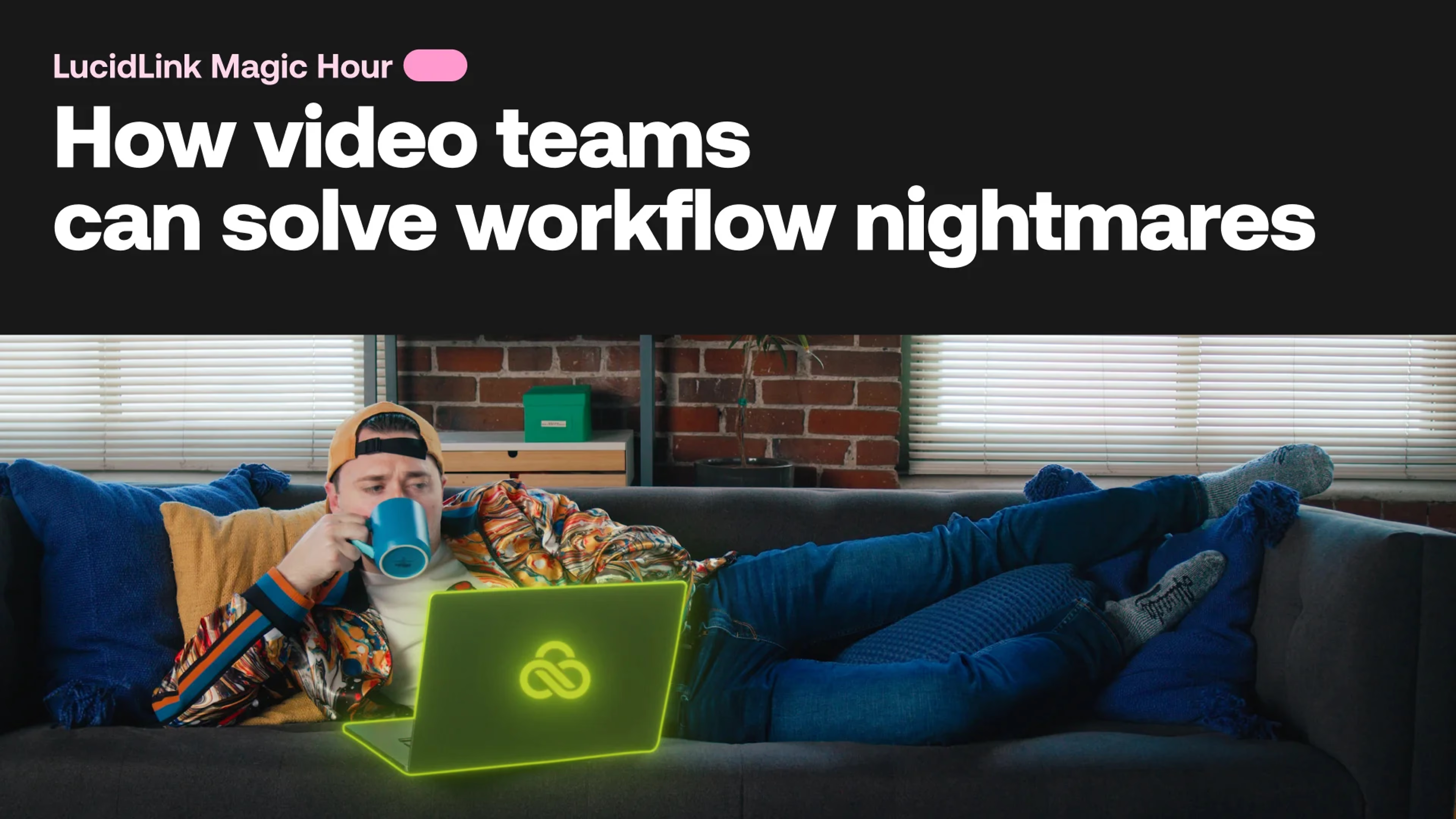
Video production teams today face more technical challenges than ever before. From managing massive media files to dealing with version control nightmares, these pain points slow down progress and make remote collaboration more difficult. In this LucidLink Magic Hour webinar, we’ll explore some of the biggest workflow headaches for video teams and introduce practical solutions—without diving into heavy product details.
Whether you’re working with a fully remote or hybrid team, this session will show you how to streamline your video production workflows and get past the bottlenecks that waste time and stall creativity.
What you'll learn:
How to tackle slow file transfers and keep your projects moving.
Tips for overcoming version control chaos across distributed teams.
The benefits of consolidating tools to simplify collaboration and reduce complexity.